Short Overview
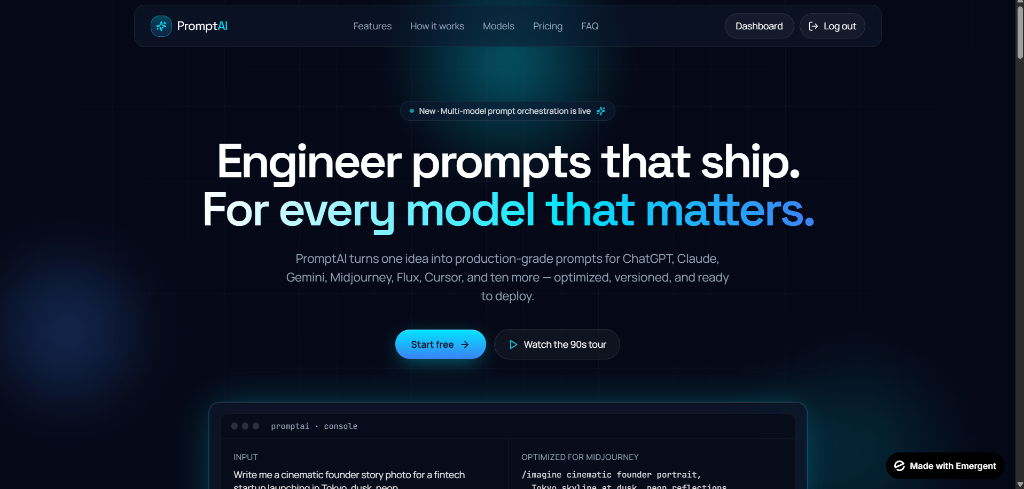
PromptAI is a conceptual UI/UX design for a multi-model AI prompt orchestrator. It envisions a platform where engineers can draft, test, and deploy production-grade prompts across various foundational models simultaneously.
// SYSTEM.ARCH
Multi-model orchestrator layout
Problem
As the AI ecosystem expands, developers are forced to manually test prompts across disparate interfaces (ChatGPT, Claude, Midjourney). There is a lack of unified, developer-centric tooling designed specifically for prompt engineering and version control.
// UI.PROBLEM
Fragmented prompt testing across LLMs
Technical Implementation (Design)
The concept was meticulously structured in Figma, utilizing advanced auto-layout features, local variables, and a strict design token system for colors, spacing, and typography.
My Approach
I approached the design from the perspective of a seasoned developer looking for an IDE-like experience rather than a conversational chat interface. The focus was on density, code-readability, and comparative testing layouts.
Design Decisions
- **Dark Mode Native:** Utilized a deep, technical color palette (similar to VS Code or Cursor) to reduce eye strain during long engineering sessions.
- **Data Density:** Prioritized screen real estate for split-pane views, allowing users to see input prompts and multi-model outputs side-by-side.
- **Typography:** Relied heavily on monospaced fonts (JetBrains Mono) for system variables and prompt syntax to emphasize the "engineering" aspect.
Challenges
Balancing information density with visual hierarchy. An orchestrator dashboard inherently requires displaying massive amounts of text; the challenge was ensuring the interface didn't feel cluttered or overwhelming.
Result
A highly polished, visually striking product concept that clearly communicates a solution to a modern engineering pain point, demonstrating strong systems-level UI design thinking.
Key Features
- Multi-model split pane design
- Syntax highlighting UI concept
- Version control dashboard layout
Lessons Learned
Designing PromptAI reinforced the importance of designing for extreme edge cases in data density. It taught me how to use subtle borders, background elevations, and typography to separate dense informational layers without relying on heavy visual dividers.